
DNS over TLS in my homelab
Because I like to tinker with my homelab and I’m working toward becoming an ethical hacker (purple team energy 😉), securing my home network feels like a natural next step.
In this post, I’ll walk through why and how I implemented DNS over TLS (DoT) at home, and why I deliberately chose it over DNS over HTTPS.
What is DNS over TLS (DoT)?
Normally, DNS requests are sent over the network in plaintext.
That means anyone on the same network — or anywhere in between — can:
- See which domains you’re resolving
- Manipulate DNS responses
- Redirect traffic without you noticing
DNS over TLS encrypts these DNS queries, similar to how HTTPS encrypts web traffic.
DoT runs on port 853 and ensures DNS requests can’t be read or altered in transit.
How about DNS over HTTPS (DoH)?
DNS over HTTPS works in a similar way but uses port 443 (regular HTTPS traffic).
The main difference:
- DoH blends in with normal HTTPS traffic, making it harder to detect or filter
- DoT is explicit DNS traffic, just encrypted
For my use case, I deliberately chose DoT:
- I run an IPS at home
- I still want visibility into DNS traffic
- I want encryption without hiding DNS inside HTTPS
Both have their place — choose based on what you value more: stealth or control.
Hijacking DNS traffic (why this matters)
Before implementing DoT, I wanted to prove to myself that my network was vulnerable.
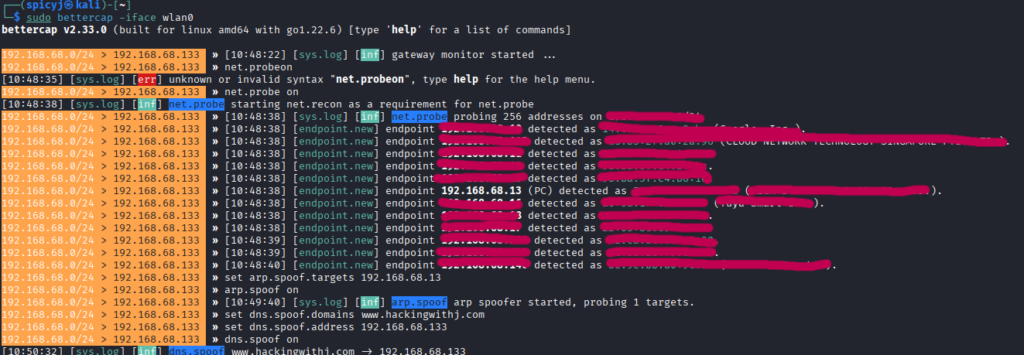
Using bettercap, I simulated a DNS hijacking attack. Because I don’t run an enterprise-grade managed switch, my network is vulnerable to ARP spoofing.
sudo bettercap -iface eth0
net.probe on
set arp.spoof targets <ip target>
arp.spoof on
set dns.spoof.domains www.hackingwithj.com
set dns.spoof.address <ip attacker>
dns.spoof on
The target was my phone. Results:
- Before: DNS resolved to the legitimate host
- After: DNS was spoofed and redirected to my attacker IP
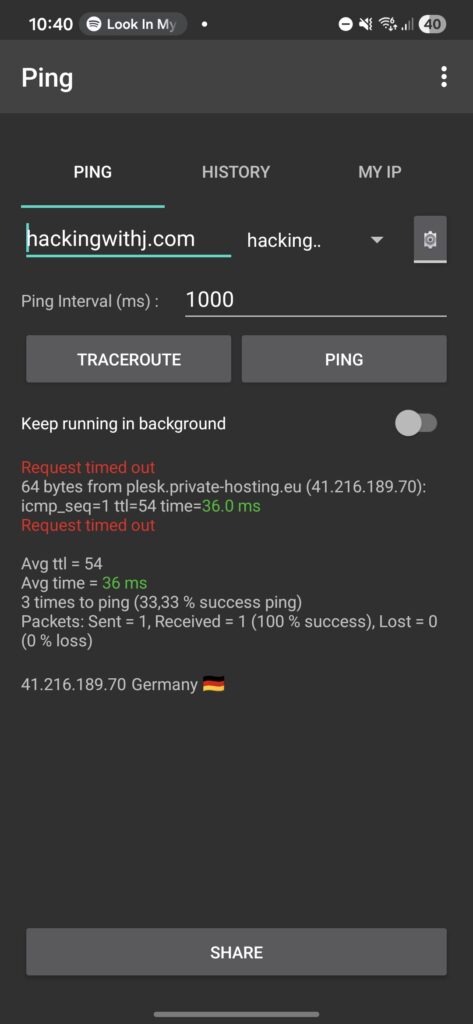
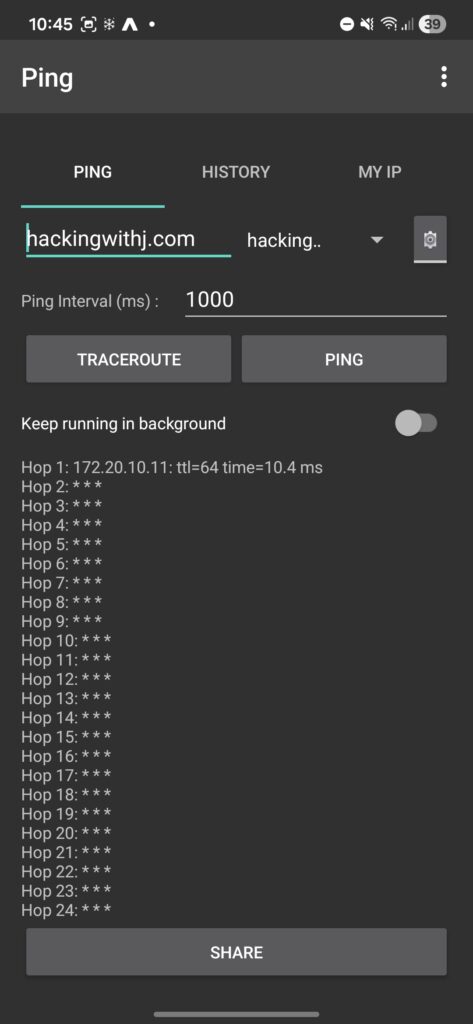
(The timeout you see is expected — I didn’t enable IPv4 forwarding for passthrough.) This confirmed the risk: unencrypted DNS is easy to abuse on local networks.
Setting up DNS over TLS
I’m running OPNsense as my dedicated firewall — an excellent open-source firewall for homelabs. Most home routers can do something similar, as long as you have a local DNS resolver.
Choosing a DNS provider
There are plenty of DNS providers that support DoT.
First attempt: Mullvad DNS
I initially chose Mullvad because I trust them as a VPN provider. They offer multiple DNS profiles, including malware blocking:
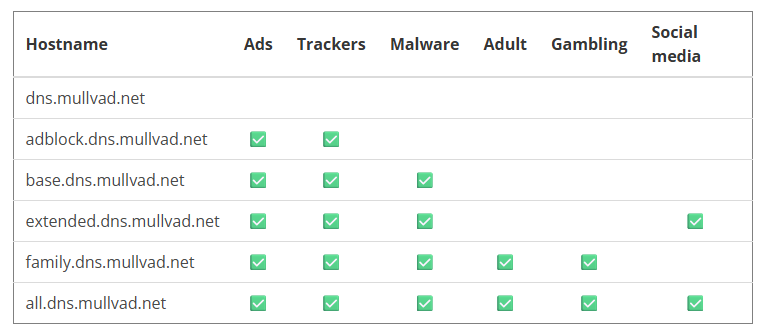
I chose the option with malware protection — great on paper. However, after about a month, my girlfriend’s iPhone had terrible network performance. After some troubleshooting, I decided to switch.
Final choice: Cloudflare 1.1.1.2
Cloudflare’s 1.1.1.2 offers:
- DNS over TLS
- Malware protection
- Much better performance in my environment
Reference:
https://developers.cloudflare.com/1.1.1.1/setup/#dns-over-tls-dot
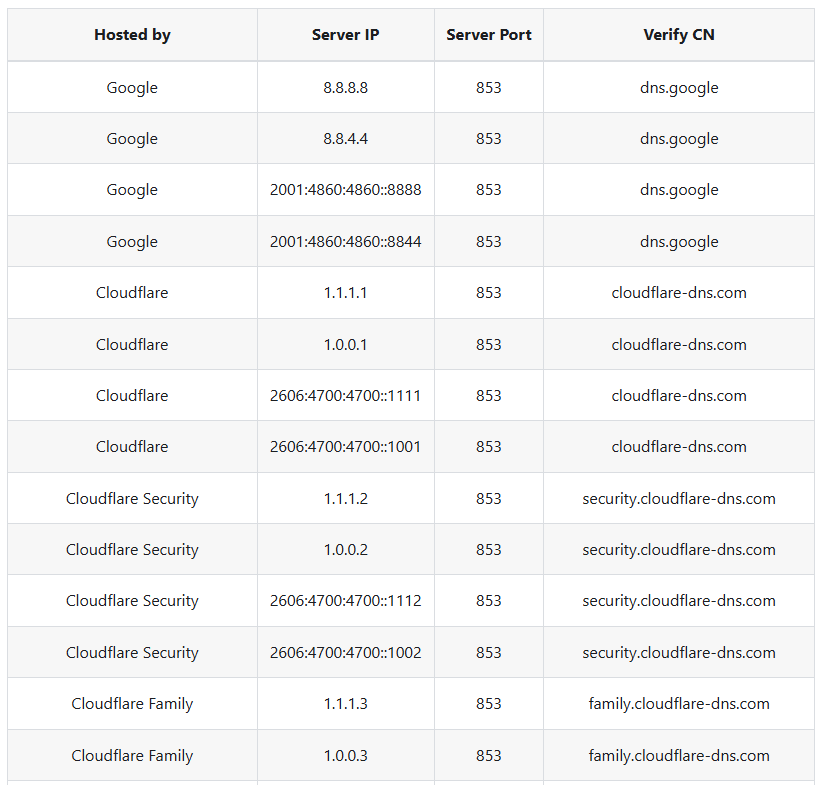
These “security-focused” DNS servers don’t just block random sites — they mainly block known malicious domains, which adds a nice baseline of protection for less technical users on the network. Other servers:
Configuring OPNsense (Unbound DNS)
OPNsense uses Unbound DNS as its resolver, which supports DoT natively.
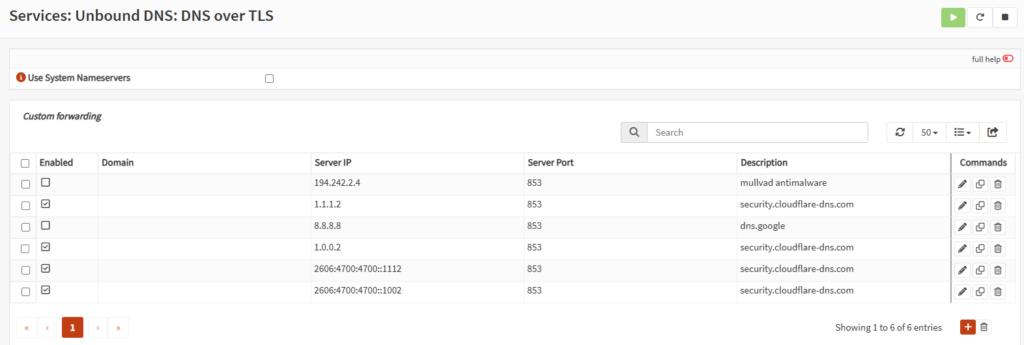
Step 1: Enable DNS over TLS
In Unbound DNS, add a new DNS server:
- Server IP
- Port
853 - Verify CN
- Description
The domain field can be left empty for public resolvers. At this point, most clients will already start using DoT — but not all.
Forcing all devices to use secure DNS
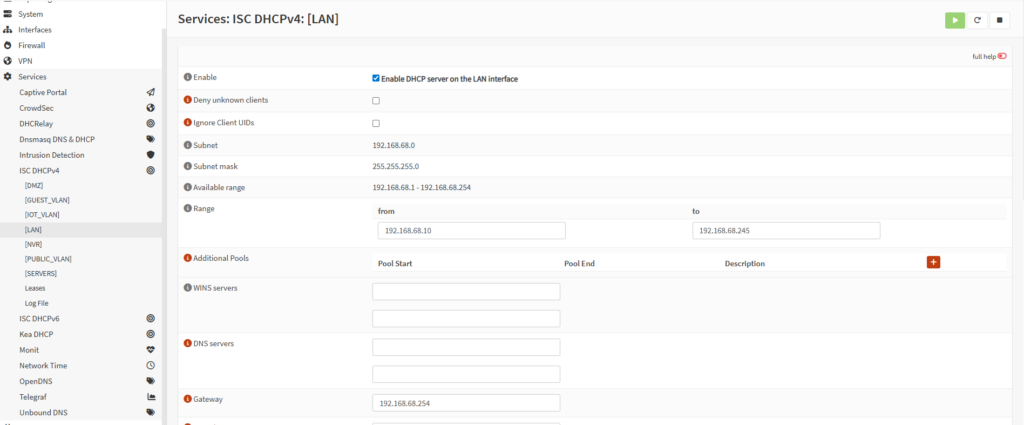
Step 2: Remove DHCP-provided DNS servers
Go to: Services > ISC DHCPv4
Select your VLAN or interface and clear the DNS server fields. This ensures clients don’t bypass your firewall DNS:
Step 3: Block and redirect DNS traffic
To enforce DNS usage, I created floating firewall rules:
- One rule to block outgoing DNS
- One rule to pass DNS traffic to the firewall
This ensures all DNS traffic is intercepted:

Step 4: NAT port forwarding
Finally, create a NAT rule: Firewall > NAT > Port Forward
This rule redirects all DNS traffic to the firewall’s local DNS resolver.
Important:
- Under Filter rule association, select the floating rule created earlier
Now every device on the network is forced to use DNS over TLS, whether it likes it or not:

Testing the setup
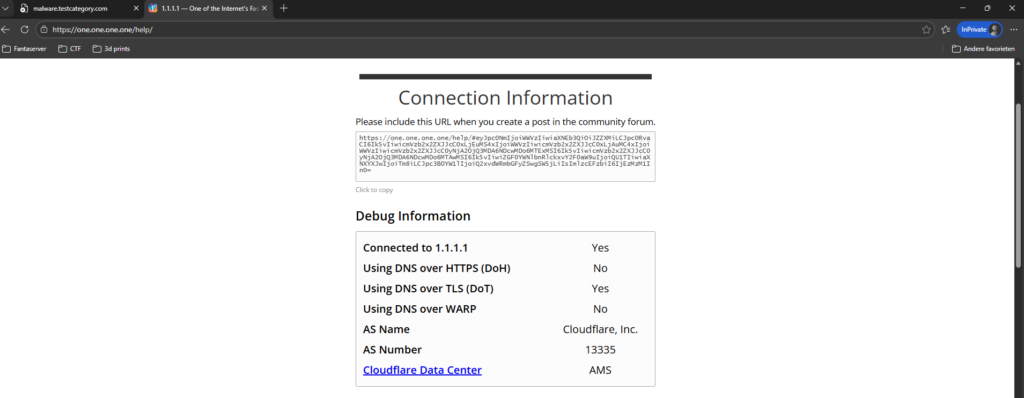
Browser test
Visit:
https://1.1.1.1/helpThis confirms:
- The correct resolver is being used
- DNS over TLS is active
Malware blocking test
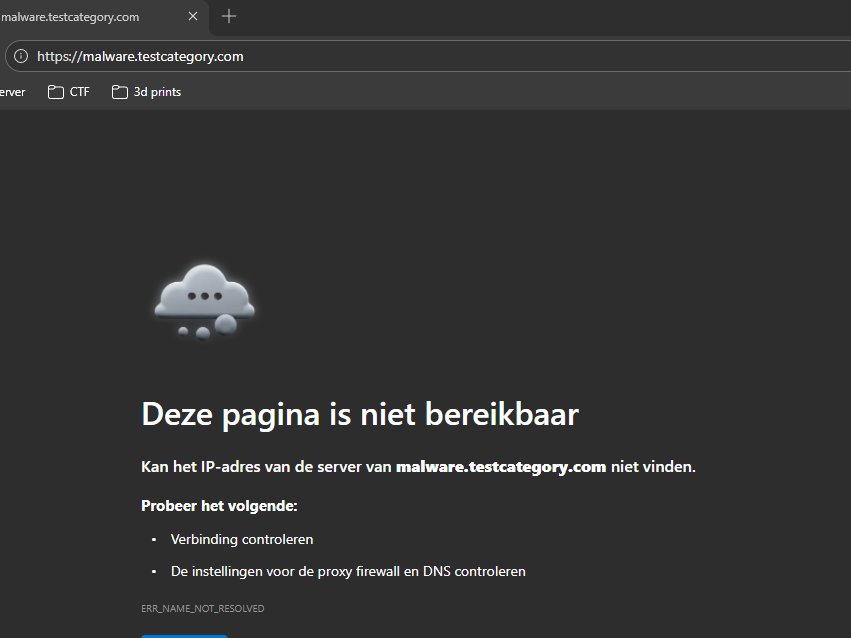
Visit:
malware.testcategory.comIf it’s blocked — it works:
Attacker perspective
Finally, I repeated the earlier bettercap attack from my Kali machine. This time:
- DNS spoofing failed
- Encrypted DNS traffic could not be manipulated

Every query gets forced through the firewall.
Final thoughts
This setup gave me:
- Encrypted DNS
- Centralized control
- Better visibility than DoH
- Extra protection for non-technical users
It’s not enterprise-grade perfection — but for a homelab, it’s a huge security improvement. And honestly? Breaking your own network first is still the best way to learn how to defend it.
Learning notes
DNS security fundamentals
- DNS is plaintext by default and easy to abuse on local networks.
- ARP spoofing + DNS spoofing is still very effective without encrypted DNS.
- Encrypting DNS protects integrity and confidentiality, not just privacy.
DNS over TLS vs DNS over HTTPS
- DoT uses port 853 and keeps DNS traffic identifiable but encrypted.
- DoH hides DNS inside HTTPS (port 443), which reduces visibility.
- Choose based on goals: control and monitoring (DoT) vs stealth and privacy (DoH).
Network enforcement matters
- Simply configuring secure DNS is not enough — clients will bypass it if allowed.
- Blocking outbound DNS and redirecting traffic ensures consistency.
- DHCP settings, firewall rules, and NAT must work together.
Offensive testing improves defense
- Actively attacking your own network validates assumptions.
- Tools like bettercap make weaknesses immediately visible.
- If you can break it easily, so can someone else.
Homelab mindset
- Security controls should match your environment, not marketing claims.
- Iterating and adjusting (like switching DNS providers) is normal.
- Understanding why something breaks is more valuable than blindly following guides.